Back in high school I asked friends to write the alphabet on a piece of paper so I could make fonts with their handwriting. I had a copy of Fontographer and in the late 90s that was pretty cool. (But now you can make your own handwriting font online, so my cool status is long gone.) Around that time was when my love for fonts bloomed and since then I notice them everywhere. It can even get a little annoying sometimes, especially when I see Scriptina every few days on menus and even in the produce section. But when I don’t know what a font is, it’s usually easy to find out.
Take this sexy Juniper logo I noticed in Wired. Not sure what I would use it for just yet, but you have to admit you probably want to use it too.

First, scan the image. If it’s in color, scan it in black and white for less detail. Of course, the fact that this ad is so clean will make this very easy. Sometimes background noise can make this whole process a little different.
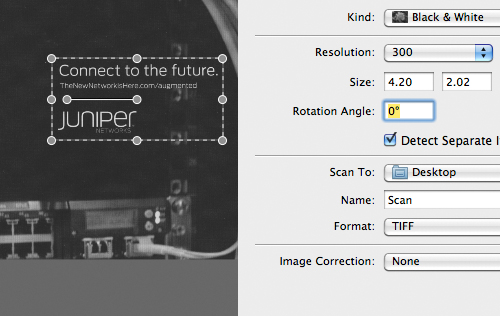
Open the scanned image in Photoshop to adjust the levels.
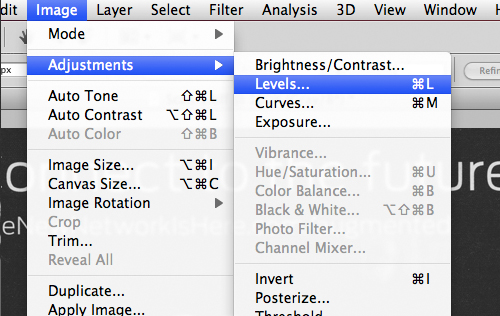
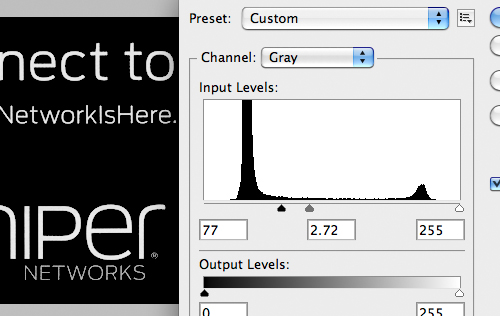
Make the letters as bright as you can and the background black so that the type stands out.
Here is the fun part. The most advanced font site out there, without a doubt, is MyFonts.com. I am not just saying that because of their type collection or how amazing their newsletter looks every single time. It’s also because of their font identifying app called WhatTheFont. Just visit their site, upload your high contrast image, and let their app do the work. Many designers use MyFonts to get clean, modern fonts so there’s always a good chance if you’ve found a nice font in a magazine or book, it can be found on MyFonts.
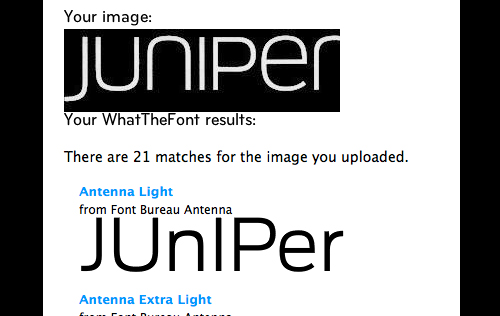
There you have it – Juniper uses a modified version of Antenna Light.

 Kayla
Kayla
Kayla
Thanks to Kaokaokao for linking us in their article about font scanning and font scanners to find the name of a font here: http://kaokaokao.shikshik.org/2012/09/24/font-scanner/
Tinh Phong
Thank nhé!
NoPhotoSHop
Hi, can you answer the same problem but minus the Photoshop. I don’t have photoshop – and I need to know the font, any great ideas?
R Sen
Need a font identification
Girish Patwardhan
need to find the tool for font identification
Arjun
i find till last one year but i find today
Bryan Shore
WhatTheFont is a great tool , I actually use it thru CorelDRAW like this: http://www.coreldraw.com/en/pages/font-finder/index.html and so far it was able to find me every singe font I needed